Will this get me banned?
Roblox Unlocker writes flags to a config file that Roblox's own launcher reads at startup — the same method that Bloxstrap uses. It doesn't inject code, patch memory, or alter the game client. Whether Roblox allows frame-rate unlockers is Roblox's decision, not ours; you should check the game's terms before using any optimization tool.
Can I undo the boost?
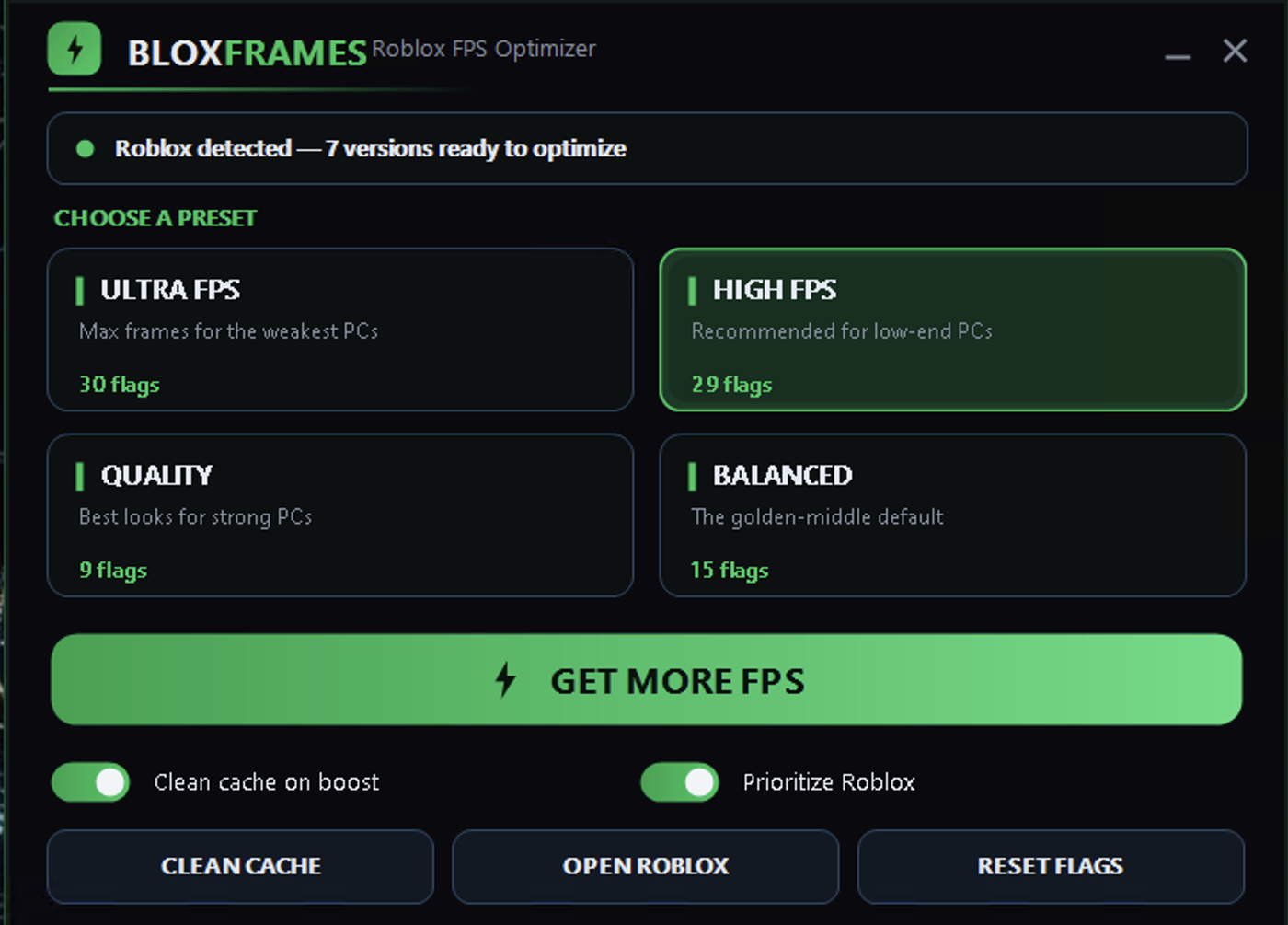
Yes. The Reset Flags button removes every value Roblox Unlocker wrote and restores Roblox to its default settings in one click. You can toggle presets on and off as many times as you want.
Does it work on my laptop?
Roblox Unlocker runs on Windows 10 and Windows 11. If your laptop can run Roblox at 30+ FPS, a preset like High FPS or Balanced will help smooth out performance. Ultra FPS is built for rigs with stronger GPUs.
What if I have multiple Roblox versions installed?
Roblox Unlocker detects every Roblox version on your PC and applies the preset to all of them in a single pass. If you later uninstall a version, the next time you run the unlocker it will skip folders that no longer exist.
How much FPS will I gain?
It depends on your hardware and which preset you choose. Ultra FPS can push 144+ on a mid-range GPU if the game is not heavily loaded. In a crowded server or during a raid, you'll see a smaller jump but steadier frame pacing overall.
Does it use my CPU or GPU?
Roblox Unlocker bumps the Roblox process to High priority on your CPU, which helps with frame pacing when other apps are running. The presets also let you switch render backends — Vulkan for GPU throughput, Direct3D11 for stability — depending on which hardware bottleneck you want to fix.
Is it really free?
Roblox Unlocker is free to download and free to use. The source code is open on GitHub if you want to check how it works.